Services.
Ten areas, one sales system. We don't sell a website, ads or a chatbot in isolation, but the path a stranger takes to becoming a customer. Most of it happens in-house; video and office IT we deliver with returning partners, and you still deal with us. If a project doesn't need all ten, we don't sell you all ten.
We also work as a development partner — for Hungarian and Western European agencies alike.
Web and commerce
→02Performance marketing
→03Custom software and automation
→04AI integration
→05Video and content
→06Web operations and maintenance
→07Accessibility
→08Pulse
→09IT operations
→10Audit and proposal
→How it fits together
Not a website. A sales ecosystem.
Buyers don't decide in one click: they search, compare, ask, request a quote, and can drop off at any point. In most companies these steps run on separate channels with separate vendors, and nobody sees what became of an enquiry. We build them as one system, and your client sees it working.
- 01
Found
Buyers meet you first on Google, in an AI answer or in an ad.
- 02
Convinced
The site loads fast, shows the offer clearly, and works for everyone.
- 03
Answered
Simple questions get an answer at night too; serious ones go to a person.
- 04
Not lost
Every enquiry lands in one place with an owner, not asleep in an inbox.
- 05
Running and measured
We monitor, fix, and write down monthly what changed. The office IT runs too.
Not every project needs all five stages. The assessment shows where the most is leaking.
Not a business card. A sales surface.
Sites and stores that sell, not just exist.
The problem with template builds isn't that they're ugly — it's that they're slow, and nobody can tell you why. We build on Next.js, where load speed, search visibility and security are part of the structure rather than a later fix.
With a live store, nothing goes offline: we replace pages in phases while the shop keeps trading.
- Next.js.
- the same foundation Nike's and Sonos's stores run on
- Fixed price.
- and deadline after the assessment, not a range
- 4–8 weeks.
- typical turnaround for a website
A template with the copy poured in
A site built around the offer and the buyer's questions: what they search, compare, and get stuck on
A contact form that lands in an inbox
An enquiry path that, if you want, runs straight into the CRM
- 01Custom design and a reusable design system
- 02Technical SEO: sitemaps, structured data, canonicals
- 03Installable web app version (PWA)
- 04Building on top of an existing backend — WooCommerce, Shopify
- 05Security headers, rate limiting, input validation
- 06Phased cutover for live systems
Next.js is Vercel's web framework; React is Meta's UI library that Next.js is built on. It is not a shop engine or a template, but a foundation we design around your client's catalogue and processes. The same foundation runs these brands (per the official Next.js showcase and Vercel's case studies):
- CommerceNike
Listed on the official Next.js showcase under Composable Commerce.
- CommerceSonos
Same page, same category.
- CommerceUnder Armour
The sportswear brand's online store, also under Composable Commerce.
- CommerceHilton
The hotel group's booking site, same category.
- Web appHBO Max
The streaming service, listed under web apps.
- StreamingHulu
US streaming service, also on the showcase.
- MediaTED
The home of TED Talks, also on the showcase.
- DevelopersNVIDIA
NVIDIA's NGC Catalog of software and AI models for developers.
- Web appSolana
Blockchain platform, listed under web apps.
- Web appNetflix Jobs
Netflix's careers site, listed under web apps.
- Web appNerdWallet
US personal-finance comparison site, also under web apps.
- PlatformZapier
The automation service, under platform engineering.
- Case studyElkjøp
Nordic electronics retailer that moved from Angular. Vercel reports 50% better LCP, 60% better INP, and a release cycle cut from 7 weeks to 1 day. These are Vercel's numbers, not our measurement.
That these brands build on it is not a promise that your project improves by the same amount. It shows the stack handles heavy traffic and is maintained long term. When it is not worth it: if the catalogue and processes fit a template, a hosted platform is cheaper, and we will say so.
Sources: nextjs.org/showcase; Vercel: Elkjøp case study; react.dev checked 12 Nov 2026
Where is your client's site losing buyers right now?
Send us the URL and what they sell; we'll tell you where it leaks.
Not reach. Enquiries.
Advertising that ends in a number.
Most campaign reports tell you how many people saw the ad. That isn't a result. We follow the path from click to enquiry, and show you weekly what brought business and what didn't.
If a channel isn't working, we say so — we don't keep spending on it.
- Weekly.
- report on what brought enquiries
- End to end.
- tracked from click to enquiry
- Stop.
- for any channel that brings no enquiries
Reports on reach and impressions
Reports on how many enquiries the clicks turned into
Every campaign sent to the home page
A landing page per campaign, one message, one action
- 01Google and Meta campaigns, B2B focus
- 02Conversion tracking through to the enquiry
- 03Campaign-specific landing pages
- 04Weekly reporting in plain language
| Click → enquiry | tracked |
| Best channel this week | named |
| What we're stopping | explained |
Sample, not client data. This is the format you'd receive weekly — with your own numbers.
Do you know how many enquiries last month's ad budget brought in?
If not, it's the measurement, not you. Tell us where you advertise and we'll tell you what to track.
Work that runs itself
What's done by hand today runs on its own tomorrow.
In most companies someone spends part of every day copying things from one place to another: webshop orders into the invoicing system, enquiries from the contact form into a spreadsheet, the spreadsheet into the monthly report. It isn't a mistake, just expensive — and it's the first thing to slip when things get busy.
We connect those systems so the work runs on its own. Where an off-the-shelf automation tool is enough, we use it; where it isn't, we write code. If no suitable software exists for a process, we build it: an internal system, a client portal, an admin interface.
We start with an assessment: you get a written summary of which processes are worth automating and which aren't. Every automation logs its runs and raises an alert on failure, because a process that stops silently is worse than doing it by hand.
- In writing.
- which processes are worth automating, and which aren't
- Logged.
- every run, searchable later
- Alerted.
- when something didn't run, no silent stops
Someone copies orders into invoicing every day
Order, invoice, confirmation and stock sheet in one step, no manual copying
An automation stops silently and nobody notices for weeks
Every run logged, failures alerted, missed items recoverable
- 01Process assessment: what's done by hand today, and what's worth automating
- 02Connecting systems: webshop, invoicing, CRM, email, spreadsheets
- 03Automation with an off-the-shelf tool or custom code, whichever is cheaper to maintain in the long run
- 04Custom internal systems, client portals, admin interfaces
- 05Logging and alerting: you know when something didn't run
- 06Handover with documentation, so we're not the only ones who understand it
- 07Ongoing operation and development, if you want it
Illustrative. The steps depend on the process.
What does someone on the team copy by hand every day?
One sentence is enough: from where, to where, how often. We'll tell you whether it's worth automating.
Answers at night. Never quotes a price.
An assistant that knows when to hand over to a person.
AI isn't magic and it doesn't replace your support team. What it's good for: giving visitors an answer at midnight to the simple questions, and getting them to where a person can actually help.
There's one running on this page — try it. And next to it, an AI usage notice, because the EU AI Act requires transparency and because it's the right thing to do.
- 24/7.
- answers to the simple questions
- A person.
- takes over serious questions, prices and deadlines
- Documented.
- which data goes where
A generic bot that confidently answers anything
An assistant tuned to your content, answering from what you actually offer
The bot promises a price you can't keep
The chat informs, it doesn't quote. A person names price and deadline
- 01Website chat, tuned to your own content
- 02Escalation to a human when the question is serious
- 03Compliance: AI notice, documented data flows
- 04Internal automation: document processing, summarisation
Do you build on top of an existing WooCommerce store?
Yes, that's the most common setup — the backend stays, the front end is rebuilt. Best way to get specifics: describe the project at /en/contact.
The chat informs. It doesn't quote. Price and timeline come from a person.
Which question do you answer the same way every day?
Send us the three most common ones; we'll tell you which an assistant can handle and which need a person.
One identity, in motion too
Video that says what your site says.
A good site needs content. Brand films, product video, short social formats — directed by us, in the same visual language as the site. So you don't end up with a polished page and video that came from somewhere else. Production is handled by our video partner.
- One.
- point of contact, even when our partner shoots
- One identity.
- site and video designed together
- Captioned.
- so it works on a phone with the sound off
Video from another team, in another voice and palette
Made in the same visual identity as the website
A nice film gathering dust on a video platform
Formats where buyers decide: product page, hero, short social cut
- 01Company and brand film
- 02Product video for commerce
- 03Short formats for social
- 04Editing, colour, subtitling
What should a buyer see before they pick up the phone?
Tell us what you get asked most often; we'll tell you which format answers it best.
Launch is the starting line
Launch isn't the end, it's the start.
Most agencies stop here. But a website starts earning after launch — and that's also when it starts to degrade. If you want us to, we keep it: watching, fixing, improving.
You work with one accountable person who knows the project. Not a ticket number.
- First.
- we know about a fault before the customer does
- Monthly.
- development hours, no quote for every fix
- One person.
- who knows the project
Ticket, number, waiting
One accountable person who knows the project
A customer reports the form is broken
Monitoring and alerting: we know first
- 01Monitoring and alerting — we know before you do
- 02Ongoing development against monthly hours
- 03Automated content engine: the blog updates itself
- 04Compliance maintained as regulations change
- 05Weekly or fortnightly progress reporting
- 06One accountable contact
Who tells you if the site goes down tomorrow morning?
If the answer is a customer, let's talk. Send us the URL and who runs it today.
Buyers you've been shutting out
Some people can't use your site.
Someone using a screen reader, someone navigating by keyboard, someone with low vision or an unsteady hand — they'd buy too, but often they can't. Not because the site is bad, but because nobody considered them when it was designed.
The European Accessibility Act has also extended to consumer-facing online services since 2025. Exactly who it covers is a legal question, and a lawyer answers that — we assess and fix the technical side.
Compliance is a legal determination, and a lawyer makes it. What we commit to is that we assess, document and remove the technical barriers — and that you get it in writing.
- WCAG.
- based technical assessment
- In the code.
- fixed at the source, not with an overlay widget
- In writing.
- what we found and what changed
An "accessibility" button in the corner
Fixes in the source: contrast, focus, labels, structure
A "compliant" badge
Technical assessment and fixes. A lawyer, not us, speaks to compliance
- 01Assessment: what blocks use, and how serious it is
- 02Contrast, text sizing, target sizes
- 03Keyboard navigability, visible focus
- 04Screen reader usability: semantic structure, image descriptions
- 05Forms: clear labels, understandable errors
- 06Video subtitling
- 07Written report of what changed
| Finding | Meaning | Severity |
|---|---|---|
| Button contrast 3.1:1 | Hard to read for low vision | High |
| 47 images without alt text | Screen readers can't announce them | High |
| Focus indicator missing | Keyboard users can't track position | High |
| Form fields without labels | Unclear what to enter | Medium |
| 28px tap targets | Hard to hit on mobile, or with limited dexterity | Medium |
Illustrative. The actual list comes from the assessment and differs per site.
Could you get through checkout without a mouse?
Try it now with Tab and Enter. If you get stuck, so do some of your buyers.
One letter a month, not a dashboard
One email a month on how the internet sees you.
Most websites get built, and then nobody looks at them again. If it slows down, if a certificate expires, if the contact form breaks — you find out when a customer tells you. Or you don't.
Pulse watches it for you. Not scores — a letter about what changed and what's worth doing.
We ask for a review, not a rating. Google prohibits soliciting only positive reviews. We don't: the customer gets a neutral request. If the work is good, the good reviews follow.
The machine drafts the reply. You send it. We prepare the response, but we never post in your name automatically. One badly judged reply does more damage than ten thank-yous repair.
Legal module: we measure, a lawyer decides. A privacy or cookie notice goes stale the moment the site changes — one new chat widget or ad script and the document no longer describes what the site does. Each month we record what the site actually loads, and a web lawyer reviews the change. Compliance is their call, not ours.
- Monthly.
- one letter with concrete suggestions
- Early.
- warning, before a customer notices
- A lawyer.
- partner reviews the legal module's findings
A scored report nobody reads
A letter on what changed and what's worth doing
Automatic replies to reviews in your name
A suggested reply; you press send
- 01Uptime monitoring — alert on failure
- 02Load speed: we report the change, not the score
- 03SSL certificate expiry — flagged in advance
- 04Monthly contact form test
- 05Indexing: is the site visible in search
- 06Google profile: new reviews, shifting average
- 07Review requests after purchase
- 08Suggested replies to reviews — you send them
- 09Legal module: monthly map of cookies and third-party scripts, with change alerts
- 10Does any tracking or ad script load before cookie consent
- 11Changes flagged for review by our partner web lawyer, or your own
- 12Monthly letter in plain language
August summary
Your site
Up all month. Load time 2.1s — that's fine.
⚠️ Your SSL certificate expires in 24 days. If it isn't renewed, browsers will flag the site as "not secure".
How Google sees it
8 new reviews came in. Average moved from 4.7 to 4.8.
Legal documents
A new ad tracking script has been running since 12 August. The cookie notice doesn't mention it — we've sent the technical details for legal review.
Worth watching
Two reviews mention it's hard to reach you by phone. If that keeps coming up, a call-back request on the site might help.
What you can do this month
- Renew SSL — we'll handle it if you ask
- Update opening hours on the Google profile for the long weekend
Sample. The actual letter is built from your data.
When did someone last check that the contact form works?
If you don't know, that's the answer. Send us the URL and we'll tell you what Pulse would watch.
IT that isn't your problem
Office IT you don't have to think about.
In most offices the problem isn't a lack of IT. It's that nobody has the whole picture: who can access what, whether there's a backup, and who to call when email won't start in the morning.
We deliver this with our IT partner, who has run IT systems for 15 years — for small and larger offices and remote teams, from the server through the printers to everyone's phone. You still deal with us.
We start with an assessment: we look at what's there now, and you get a written summary of what we found and what we recommend. Then you decide what to hand over to us.
- 15 years.
- our partner's experience running office systems
- In writing.
- what we found and what we recommend
- Remote.
- we connect in, no waiting for a site visit
"Our colleague knows computers", on top of their own job
A dedicated sysadmin partner, starting with an assessment
A departed employee's account, still active
Accounts and access kept in order
- 01Assessment of your existing IT, with a written summary
- 02System administration for offices, home offices and mobile devices
- 03Remote monitoring and remote support: we connect in, no waiting for a site visit
- 04Server environment setup and operation
- 05Network build-out: cabled and wifi
- 06Secure remote access, VPN
- 07Printer management and maintenance
- 08Email system setup and operation
- 09Microsoft 365 and Teams: rollout and operation for remote work and remote learning
- 10Company mobile fleet: plans and costs reviewed
- 11Operation of your existing software and hardware
| Finding | Meaning | Severity |
|---|---|---|
| Backups exist, but nobody has tested a restore | You find out whether it works when it's needed | High |
| A former employee's account is still active | They can still reach company email and files | High |
| Shared admin password, unchanged for years | No way to tell who changed what | High |
| Guests and accounting on the same wifi | An infected guest device can reach internal machines | Medium |
| Operating system past end of support | No more security updates | Medium |
Illustrative. The actual list comes from the assessment and differs per office.
If someone leaves tomorrow, do you know what they had access to?
If you're not sure, that's exactly where the assessment starts.
We look first. Then we propose.
We show where the site is losing customers right now.
The site is losing buyers right now: it loads slowly, Google doesn't understand it, AI doesn't quote it, the price isn't where people look, and the legal pages say things that aren't true. Every site we've audited so far had some of these.
The audit is done from the outside, without access. Then, if wanted, comes the design and system proposal: not just a picture of a new site, but a plan for the whole sales ecosystem, with a clickable prototype built on the real catalogue. White-label for agencies if you prefer.
- Outside-in.
- no access needed
- In writing.
- a report with a prioritised to-do list
- Clickable.
- prototype built on the real catalogue
An auto-generated score list nobody reads to the end
A report written by a person about the business, with prioritised fixes
"You'll see it when it's done"
A clickable prototype with the real catalogue, before anyone decides
- 01Outside-in audit: speed, SEO and AEO, pricing, usability, privacy, security headers
- 02What already works, so it doesn't get thrown away
- 03Prioritised to-do list
- 04Design proposal: type, palette with contrast checks, page designs, mobile
- 05System proposal: where enquiries come from, where they land, what gets measured
- 06Clickable prototype with the real catalogue
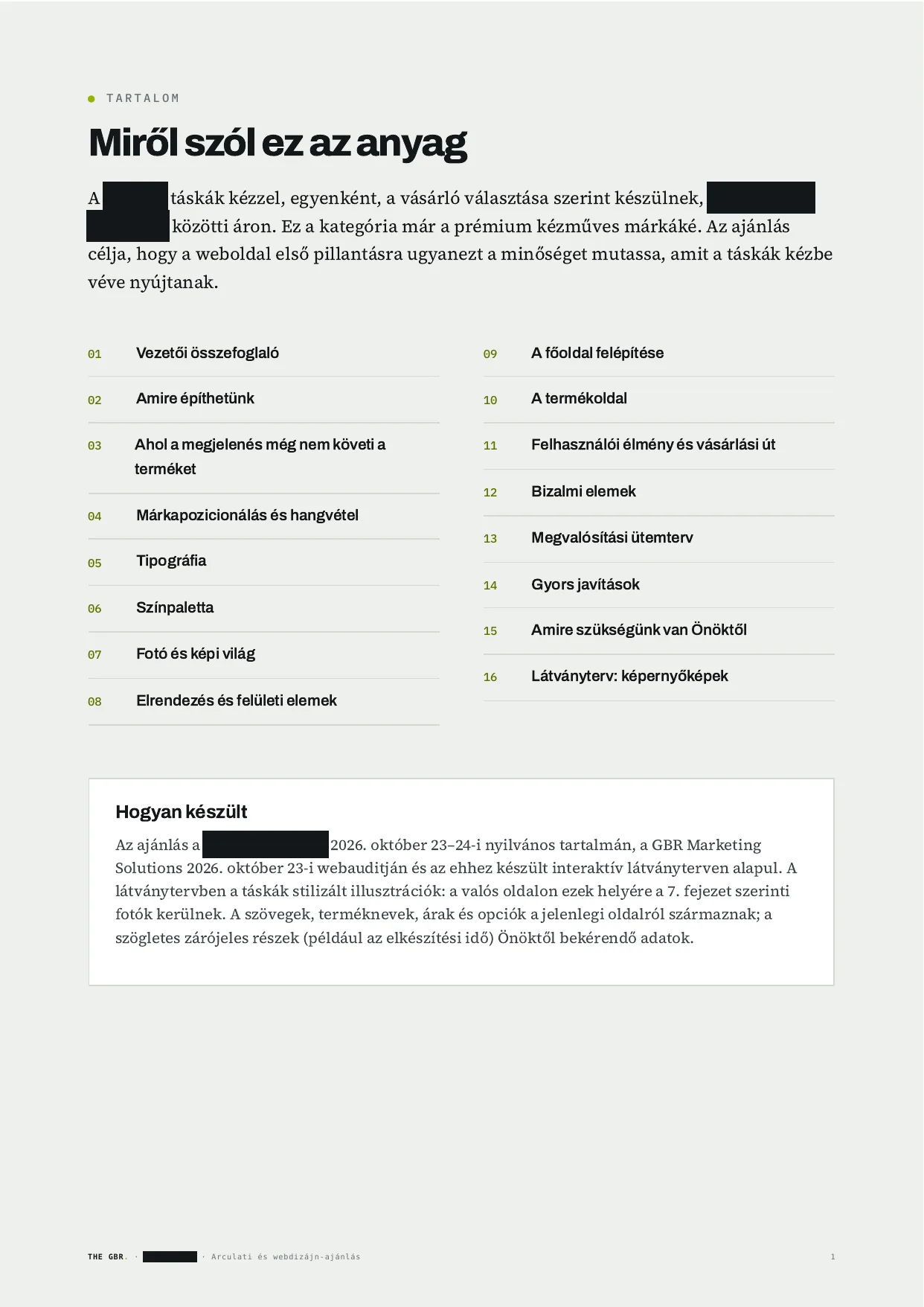
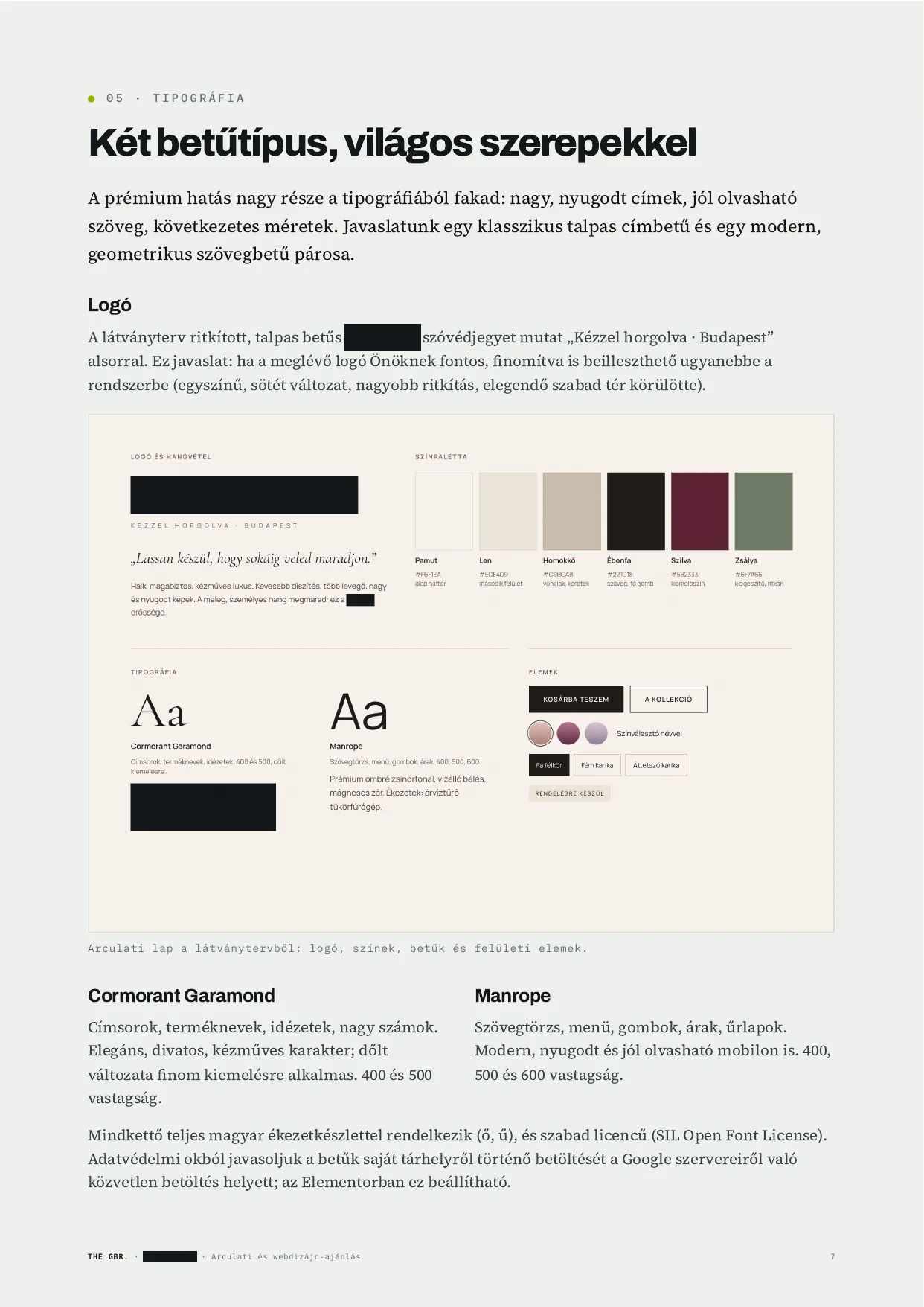
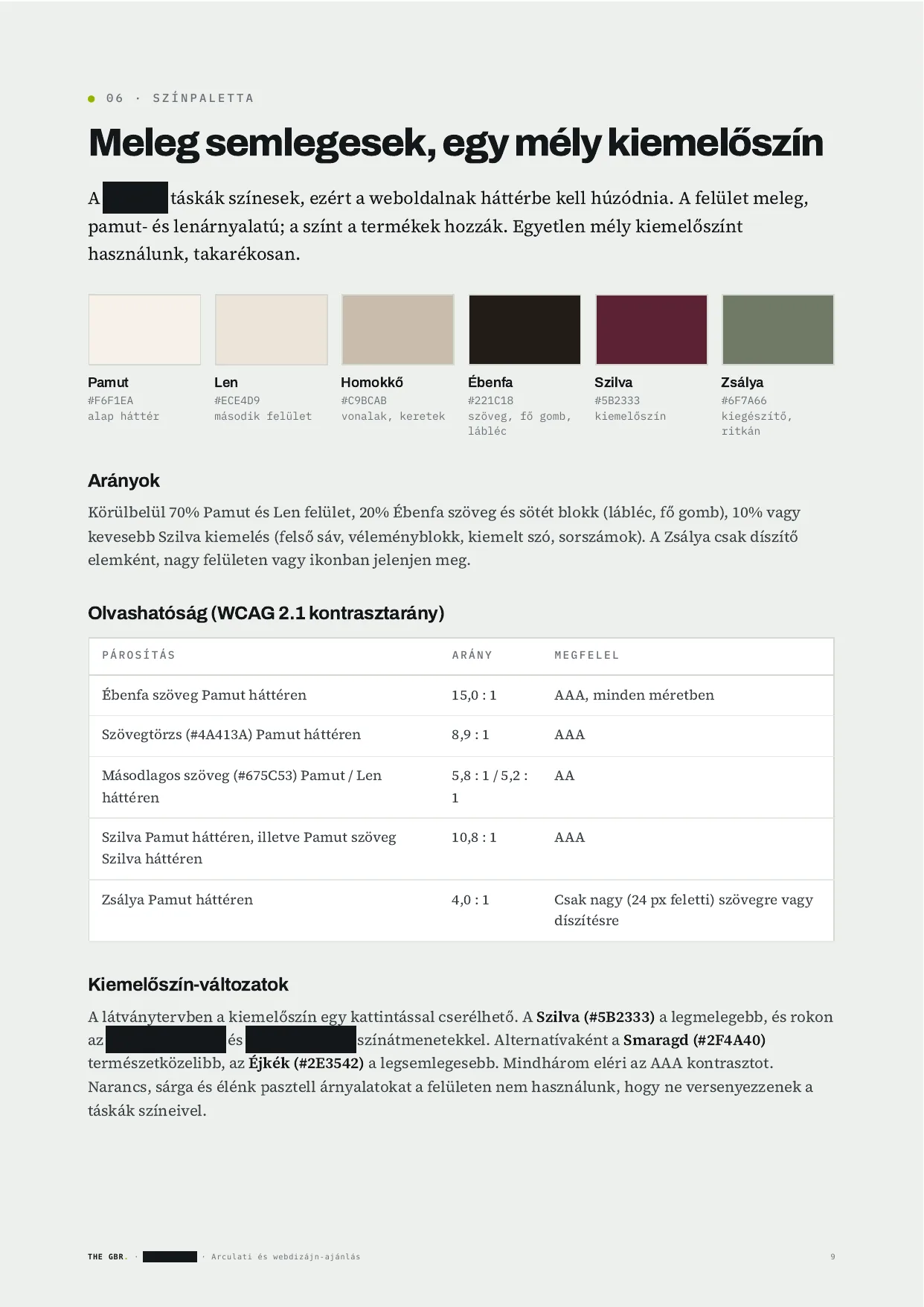
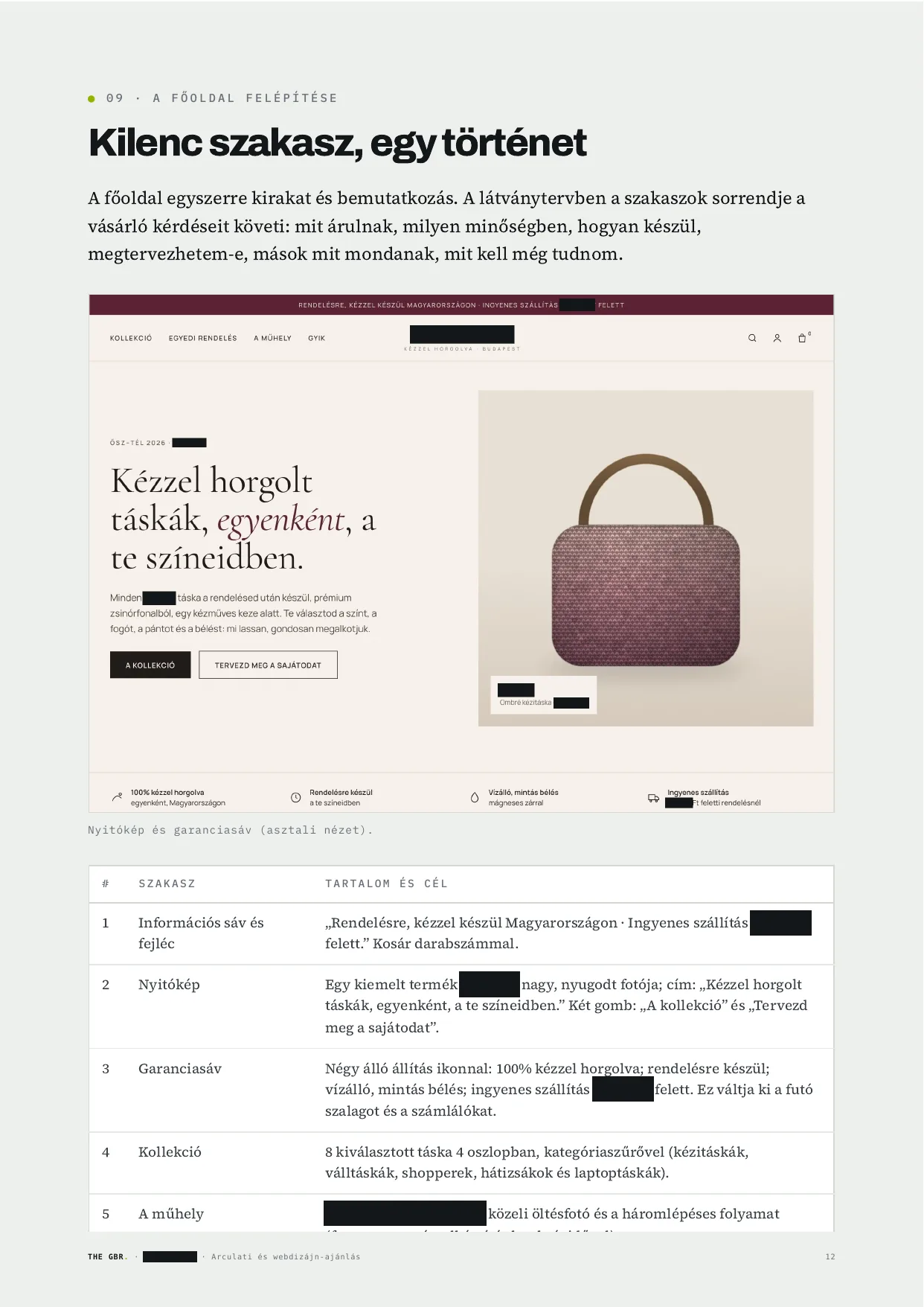
Five pages from a 24-page brand and web design proposal we prepared for a handmade-goods online store after auditing their site: typography, a colour palette with measured contrast, and home and product page designs. Brand, product names and prices are redacted, because our clients' materials are not public. The pages are in Hungarian.
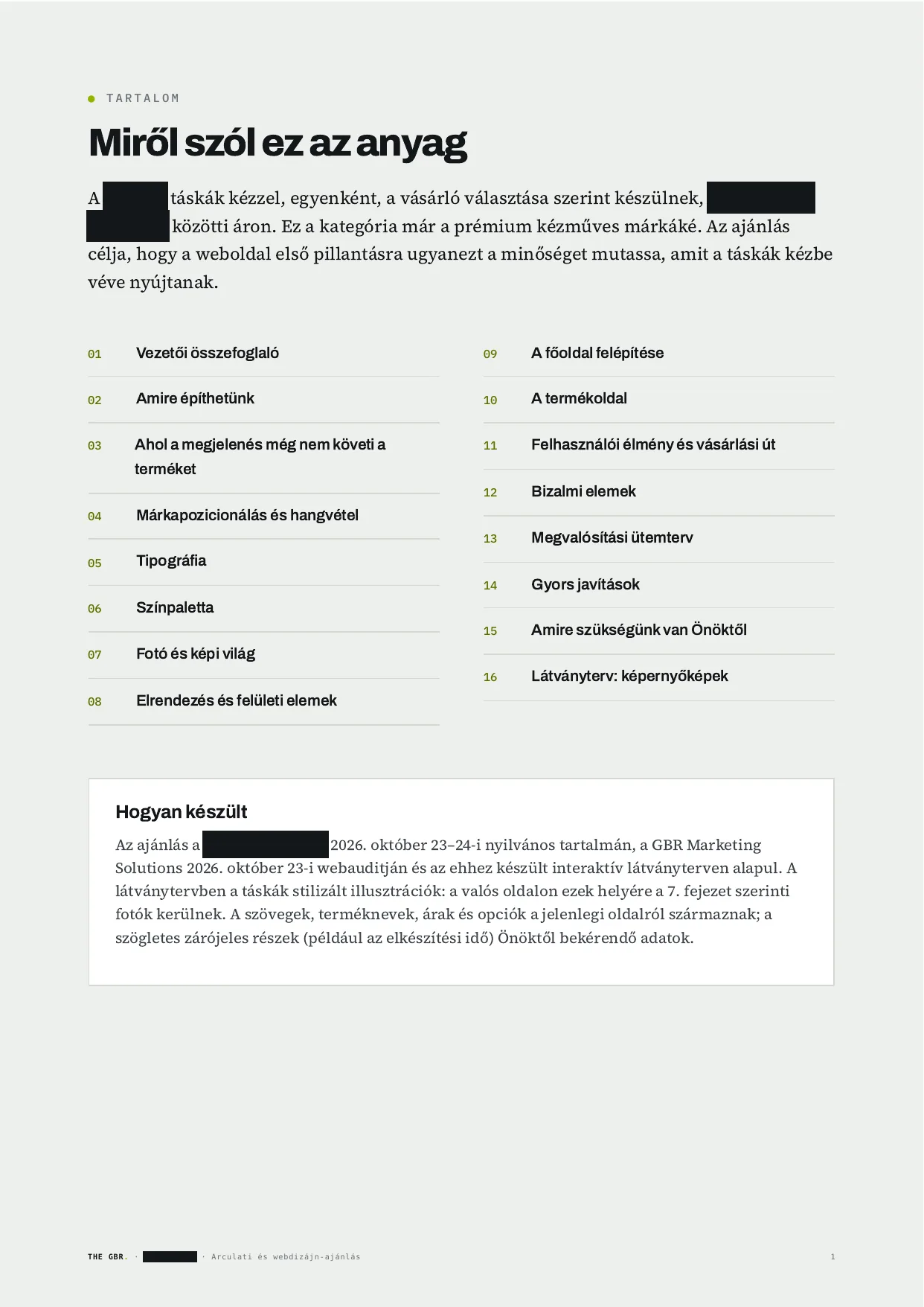 01 Contents
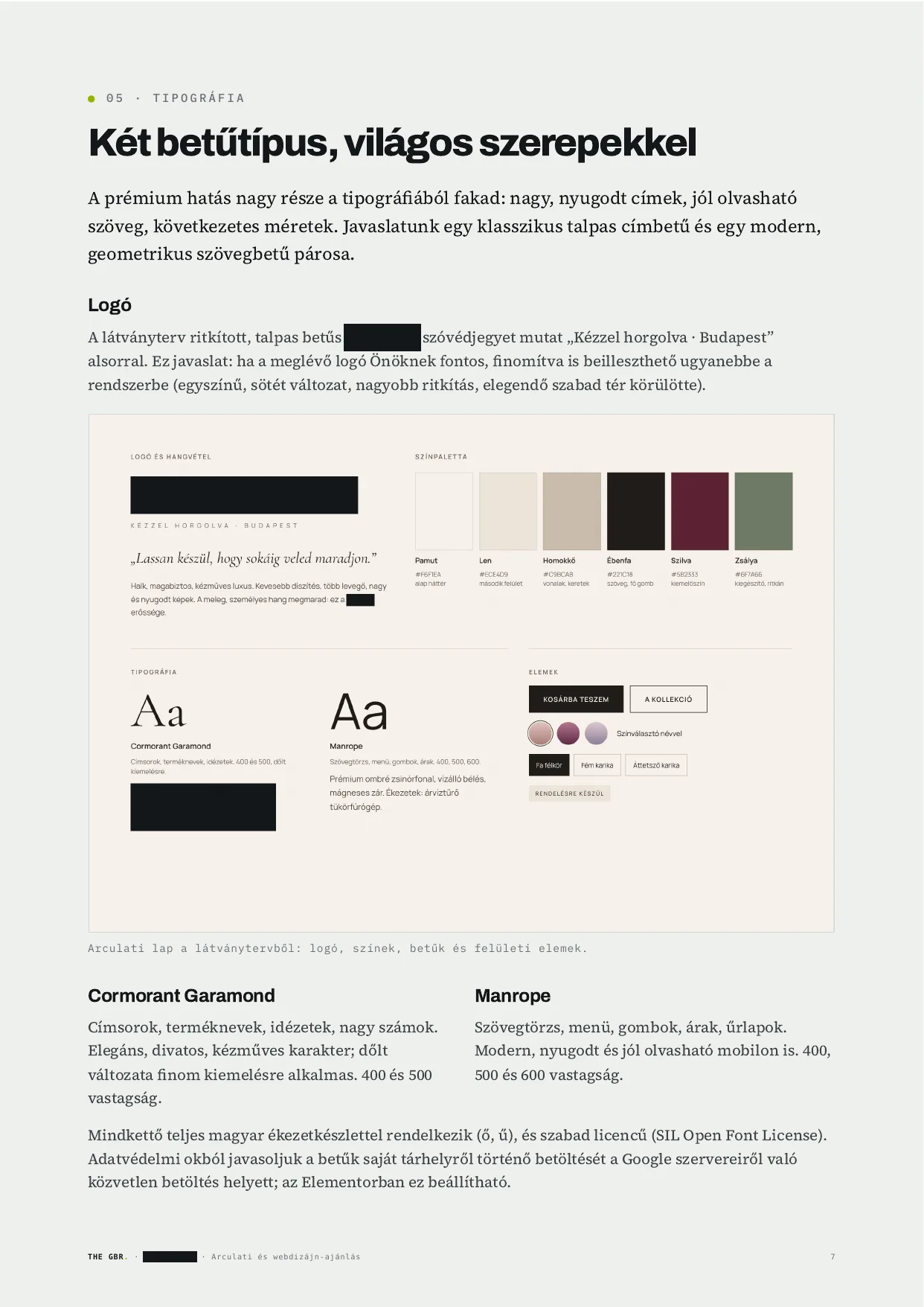 02 Typography
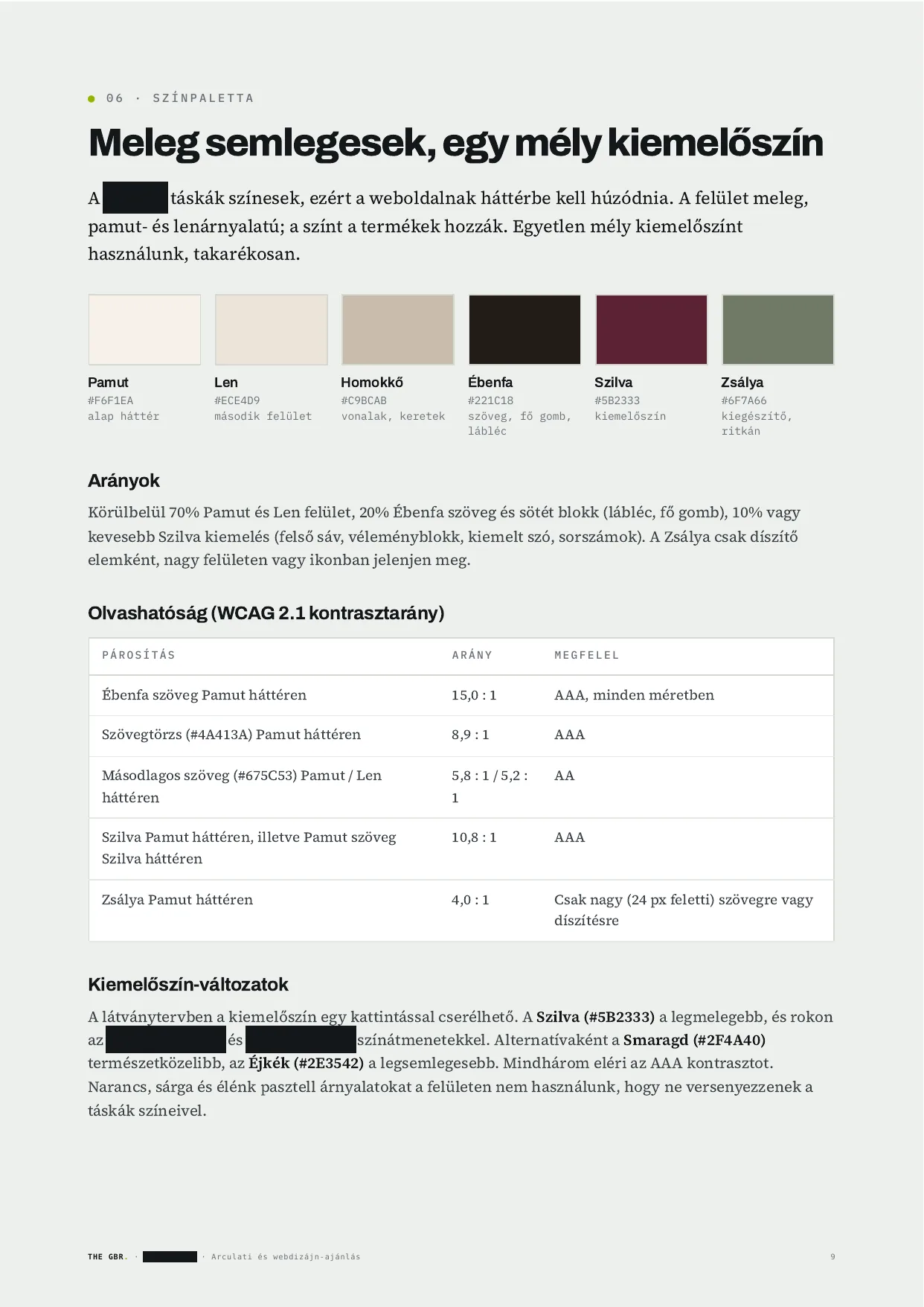 03 Colour palette
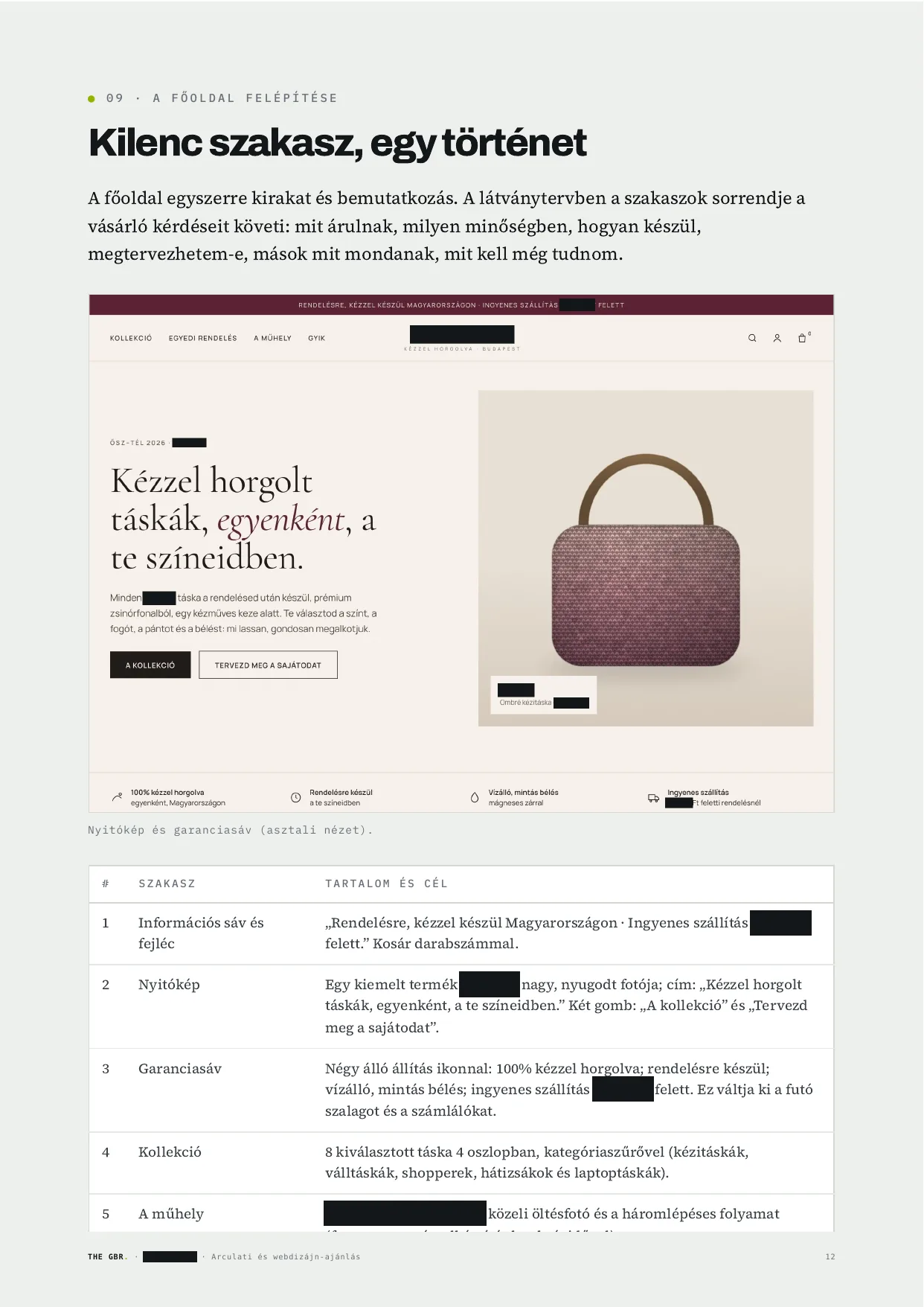 04 Home page
 05 Product page

What would a stranger see on your client's site in the first ten seconds?
That's where we start. Send us the URL and one sentence on what they sell and to whom.
FAQ
Questions we actually get asked
Do you guarantee accessibility compliance?+−
No. Compliance is a legal determination and a lawyer makes it. What we guarantee: the technical barriers get assessed, documented and removed, and you get a written record of what changed.
Does Pulse fix problems automatically?+−
No. Pulse detects and reports. Fixing is either a separate instruction or comes out of a monthly retainer — because an automatic change to a live site without anyone looking at it is how outages happen.
Does the Pulse legal module guarantee compliance?+−
No. A lawyer determines compliance, not us. What the module gives you: a monthly record of which cookies and third-party scripts the site actually loads, and when that drifts from the legal documents, a web lawyer reviews and updates them as needed. The lawyer sets the scope and fee of the legal work.
How is the final price set?+−
After scoping. We discuss what you need, review the existing systems, then give a fixed price and date — not a range.
Can you work white-label?+−
Yes, and most of our agency work is. We sign your NDA, and we don't approach your client directly, during the project or for 12 months after. Your client relationship stays yours. If you'd rather name us, that's fine too.
Does a small office need outside IT support?+−
Often it's the small ones that need it most. Without an in-house IT person, someone usually handles it on the side, and that works until something breaks. We start with an assessment and tell you how much ongoing work your setup actually needs. If it's not much, we say so.
Do we have to replace our existing systems to automate?+−
Usually not. We connect what you already have: the webshop, the invoicing system, the spreadsheets. We only recommend new software when the existing one can't do what's needed — and the assessment explains why in writing.
What happens if an automation stops?+−
It doesn't stop silently. Every run is logged, and a failure sends an alert to whoever is responsible — us, if you hand over operations, or the person you designate. Missed items can be processed again from the log.
Get in touch
Not sure which one your client needs? That's our job
We don't take every project — which is why we ask first. Two business days, and we'll tell you if we're not the right fit.
Get started →Or email directly: gabor@thegbr.eu